Goat Format on EDOPro?
This article explains how to set up and use EDOPro, a dueling simulator, for Goat Format by detailing its features, download links, and step-by-step instructions for deck building and importing.

EDOPro is an open-source, cross-platform (Windows, Android, Linux, macOS), automatic duelsimulator. It is the successor of YGOPro Percy, and is comparable to old YGO NDS games in playstyle. Thanks to the card scripts, it features automatic chaining, card effect resolution and timing,modern and pre-errata card texts and effects (important for GOAT), replays, an advanceddeckbuilder, skins, Anime & Manga & user-created cards, auto-updates, and on top of that it can bemodded to host custom banlists/formats and alike. As it runs on android you can comfortably playon a tablet while relaxing on your couch.
The EDOPro team has been working closely with goatformat.com to fully implement all GOAT specific rulings and card effects. In contrast to the older YGOPro project, players can now host proper GOAT duels with a dedicated banlist for the format.
Downloads
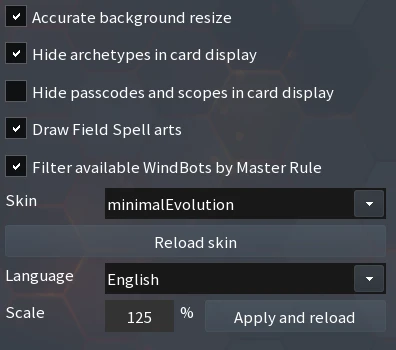
The latest download for all platforms can always be found in the #downloads channel on the officialEDOPro discord. High-quality (HQ) card renders:The entire GOAT card pool is available here.After installing and starting EDOPro once, simply extract the HQ archive and copy all card imagesinto your ProjectIgnis\pics\ directory, replacing all existing files.Minimalistic skin:The skin used in all following images can be found here.To use the skin, extract and copy the folder into ProjectIgnis\skin\ directory. Make sure you don’thave any sub-directories. In Settings-> More settings-> select minimalEvolution as skin and enable“Accurate background resize”. I would additionally recommend setting Scale to 125-150%. If youdon’t like the dueling background you can replaceProjectIgnis\skin\minimalEvolution\textures\bg.jpg with any other JPEG.
YDK2EDOPro:YDK2EDOPro is a tool used to automatically import YDK-files (see Deckbuilding), place it inProjectIgnis\deck\.
Deckbuilding
The most important thing first: select 2005.4 GOAT as the banlist. Then, set Limit to (Allowed). Thiswill limit the cardpool to the GOAT legal cards and will show the correct banned, limited and semilimited states.

Building a deck from scratch is as simple as searching for a card and right-clicking or dragging it into the (side) deck-zone. The decks are loaded and saved as YDK files in ProjectIgnis\deck\.To import a deck from a YDK file we’ll have to adjust some things. As GOAT uses pre-errata cards and sometimes even has specific rulings per card, EDOPro added custom card variants with their own custom card numbers for the GOAT format. If you select 2005.04 GOAT as banlist and import a YDKfile into EDOPro you'll most likely see something like this.
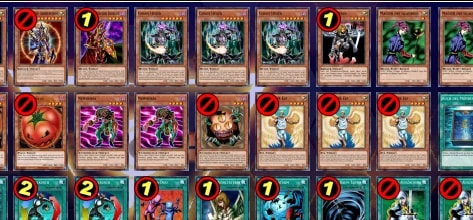
Sangan, Shining Angel and Nobleman of Crossout banned? The YDK-file contains the official Yu-GiOh! card numbers and EDOPro imports them as the default, most recent card variants. However, we need these (GOAT) and in some cases (Pre-Errata) cards.
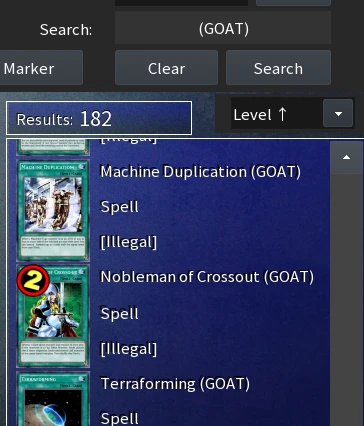
In order to use an imported deck, you’d have to manually switch out all banned cards and replacethem with their corresponding (GOAT) or (Pre-Errata) version from the selected banlist. Thisbecomes a hassle fast.
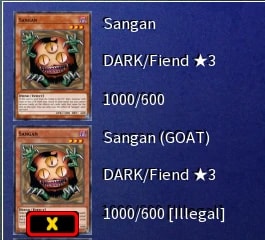
So, I (Sab0x) wrote a small tool (source code here) that takes YDK-file via drag & drop and spits outthe EDOPro ready GOAT deck equivalents, replacing all possible cards with their respective variantcards, thus enabling mass-import of GOAT decks into EDOPro. You can find the tool in theDownloads section and in the #edo-pro channel on our Discord.
Gameplay
Duellists that are familiar with the automatic system from YGO Gameboy/NDS/PSP games or DuelLinks can hop right into EDOPro. For people that only know in-person duels or Duelingbook, adjusting to an automatic simulator might take a couple matches. The biggest difference is that you can not play any illegal moves (nor will you ever get into an argument with your opponent on what he/she can or can’t do) so you also never have to consult ruling pages or a judge.EDOPro forces you to be very precise in your turns, as you can not take back any action you havetriggered. As an example, when you activate Chaos Sorcerers’ effect to then only realize a secondlater that your opponent has no face-up monsters, you will have to resolve the effect you just calledby banishing your own Sorcerer. The same goes for trap activation and all other relevant gamemechanics. This is especially helpful for newer YGO players that will grasp the concepts of activation timings and windows very fast this way. A turn time limit (adjustable if you host a lobby yourself) will further streamline your and your opponent’s actions.
In general, duels are a lot faster than on DB and have much less down time.So, you might ask, “how does chaining work?” If you can activate an effect to something a promptwill appear asking if you want to chain. During the time the prompt is open, your time will run downeven when it’s the opponent’s turn.
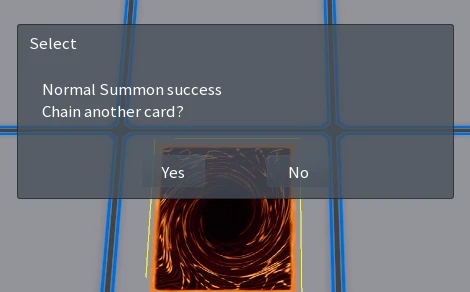
“But,” you say, “can’t this delay be used against you by the opponent to gain knowledge about setcards?” No, you can both suppress the (actual) prompt when you have something on the field, oropen a “fake” prompt at all times. This fake prompt will ask you if you want to check the field,creating the same delay as the valid chaining popup.
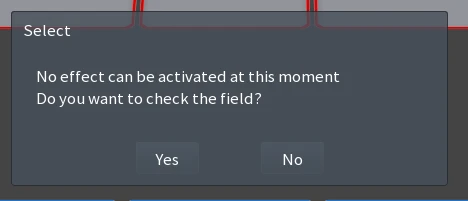
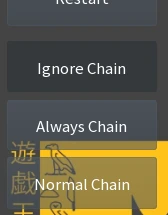
Open a “fake” prompt by holding down the left mouse button (LMB), A-Key, or by enabling “AlwaysChain”. Suppressing prompts can be done permanently by enabling “Ignore Chain” on the left-handside of the field, or, much more conveniently, by holding down the right mouse button (RMB) or S-Key on the keyboard. Just make sure to disable the permanent chaining options after you enabledthem or you might never see a prompt again.
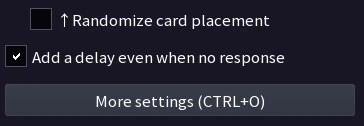
Since the latest patch, there is even a setting that will always add a small random delay to everythingyour opponent does: “Add a delay even when no response”.
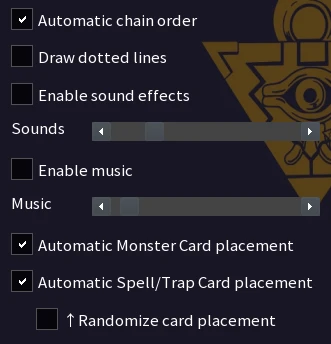
By default, you will have to select zones and activate mandatory effects (like letting your opponentgain 1000 LP in Standby Phase with Snatch Steal) manually. I’d recommend enabling both“Automatic chain order” (prompts will still ask you to chain) and 2x “Automatic Monster/Spell/TrapCard placement” to reduce the manual interaction some more.
How to Join a Game
To bring up the lobby and server browser click “Servers” in the main menu. In the top left is theserver selector. The most popular server by far is EU Central (Casual) with (at the time of writing)between 5-10 lobbies running at most times, even during the weekdays. Meta decks should staylimited to the Competitive Server, however in reality players will join your lobby with meta decks onwhichever server you are on.Set your nickname in the box below. The middle lane contains the banlist. Choose 2005.04 GOAT.Additionally, it is nice to know how many lobbies are running already, so tick “Show started rooms”and then use the Refresh button at the bottom.
To join a lobby, simply double-click an open (green) one, choose your deck in the drop-down, andready up. If a message like this shows up:
then you either built your deck without setting the banlist to GOAT, or you forgot to replace theerrata cards from an imported deck with the GOAT variants. See the deck building section above formore details.Have a look at the lobby settings before you press ready, though.
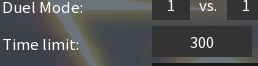
The time limit is set to 180 seconds by default. If it runs out during your turn you immediately losethe duel. Some hosts lower it on purpose to stop other players from using long combo decks likeLibrary or Economics FTK.Best of X can be set to anything. Most lobbies are running Singles or Best of three. Tag-team (2vs2) is also possible. Below Cards per Draw should be *GOAT (The rule set the lobby should be using).Unfortunately, a lot of hosts don’t realize that there is a dedicated GOAT ruleset and use MasterRule 1 (MR1) instead, which are lacking some format specific rules.
It’s best to either tell the host via chat to adjust the rule set, look for another lobby, or host one withcorrect rulings yourself.The host may start the game after both parties are ready.
How to Host a Game
Click the Host button in the top right while in the lobby browser to bring up the hosting menu.Configure it to the following settings:
Duel Mode can be set to 2 vs. 2 (Tag-Team) or Best of to one (Single Duel without siding).Allowed cards might be misleading; ”Anything goes” stays within the allowed cards of the selectedbanlist.Never tick “Don’t check Deck”, as this will remove the banlist and all further limits of deck buildingentirely. Players will be able to play any modern card they want. Some hosts tick this because theydon’t realize they have to replace the errata cards in their imported decks and the banlist preventsthem from playing the non-GOAT variant.Make sure you have an Exchange of the Spirit FTK deck with triple Pot of Greed ready in case youstumble upon a lobby with deck check disabled 😊 (might as well educate the host about themisconfiguration beforehand).To handle all GOAT Format specific rules that predated MR1, EDOPro implemented a new ruling setcalled “GOAT” (some translations call it differently however, make sure to select the option at thebottom of the dropdown menu).
It is good practice to add a note along the lines of “GOAT FORMAT only”. Otherwise, you’ll have aplethora of modern YGO players joining and promptly leaving your GOAT lobby.After you are done, click on OK, select your deck, ready up, and wait for a player to join.
Demonstrations
Jinzo&Tonic has some nice gameplay videos on as well as a video guide on EDOPro onhis channel.
Replays
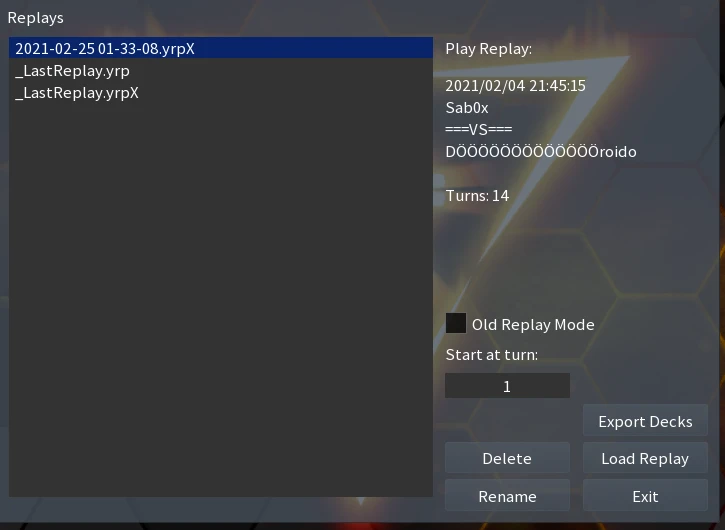
After a duel has ended, you’ll be prompted with the Save Replay dialogue box.
These are stored in ProjectIgnis\replay\. You can export the main decks of both players, or watchthe replays from within the Replay menu, which is found in the main menu.
Puzzles
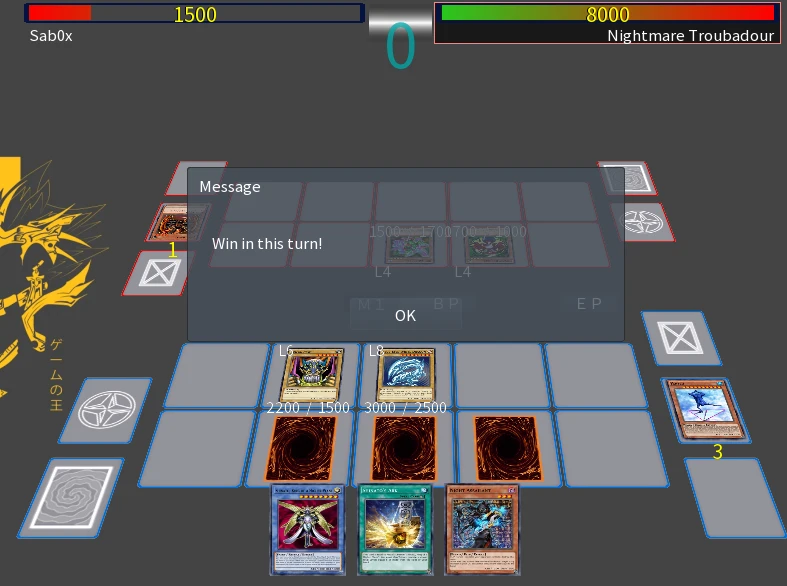
EDOPro features most of the original YGO games’ duel puzzles. Find them by navigating throughMain Menu-> Puzzles-> Canon Collection-> World Championship or Nightmare Troubadour-> Selecta Puzzle.
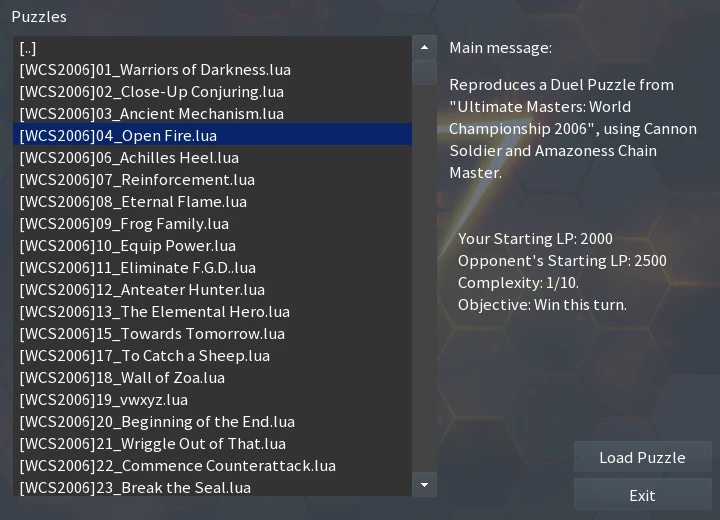
A duel puzzle is a made up scenario in which you have to win in a single turn.
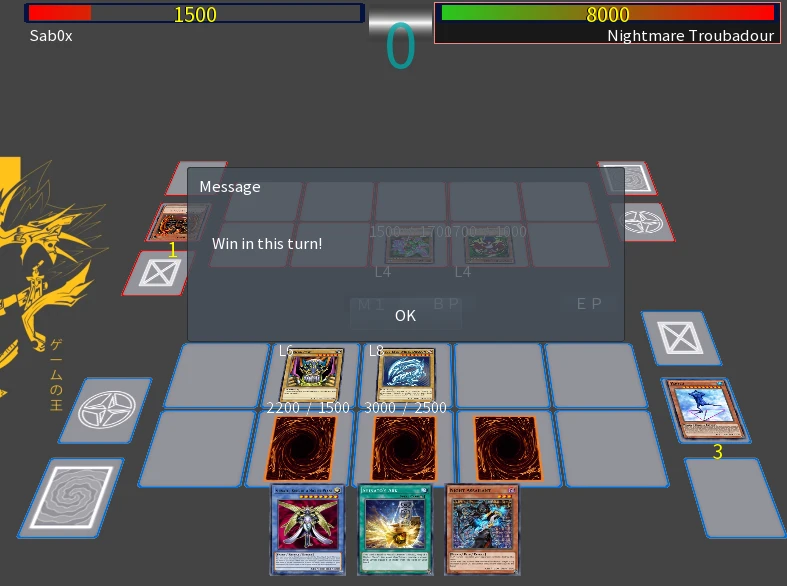
Some of them can be pretty challenging. Try to think them through without brute-forcing it.
Modding
If you are interested in custom formats, fiddling with the database, creating skins, generating cardimages and descriptions in your language (German/Italian/French etc.), or coding A.I. for local GOATduels against your PC, you can hit me up on the Discord (Sab0x#7939).
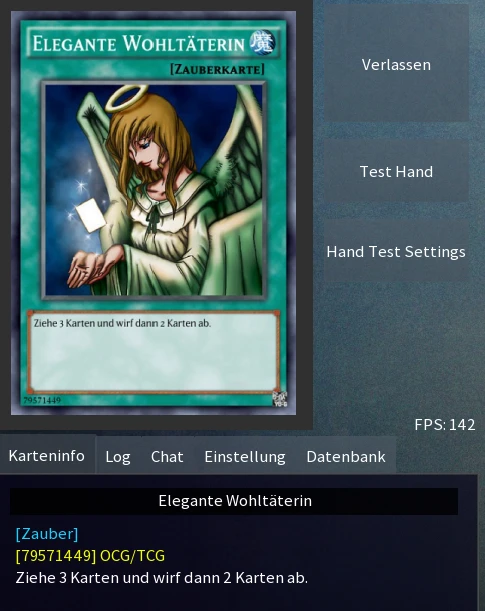
Example of an auto-generated German card render with German description.
Downsides
The only real current downside of EDOPro is probably the lack of a ranking system and, with that, thelack of proper accounts. The development team has hinted that work will be done in this area, buthasn’t started yet. Another downfall is the UI on android. The latest build doesn’t have any mobile-specific UI-changes, so some controls/buttons tend to be very tiny on a small-screen device with high resolution. This can be compensated (to some extent) by increasing the UI scaling and changing the skin to a more mobile-optimized one. However, I personally wouldn’t use anything smaller than a 7’’ tablet until they have implemented mobile-specific control changes.
Conclusion
While the goal is not to be a strict simulation of real-world duels, EDOPro is more of a fast-paced no-headache virtual dueling platform. Not getting into a fight with your opponent over rulings it much less stressful. Because of its open-source nature and vast modding support it's not limited to established formats, and can host anything from themed challenges to Virtual World Deck Master duels with anime cards already included. Future tournaments might migrate to EDOPro to ensure all duels conform to rules. With EDOPro, gone are the days that a morally corrupt player can try to trick or cheat an opponent while no judge is present.